Team
Priyanka
Saskia
Jeffrey (Me)
Tools
VoiceFlow
Figma
ROLE
Duration
4 weeks
The Challenge
Introducing Conversational Interaction to a Social Fitness Platform
On Strava, performance is king, and the opportunity for lightweight guidance and social discovery often gives way to dashboards, metrics, and navigation.
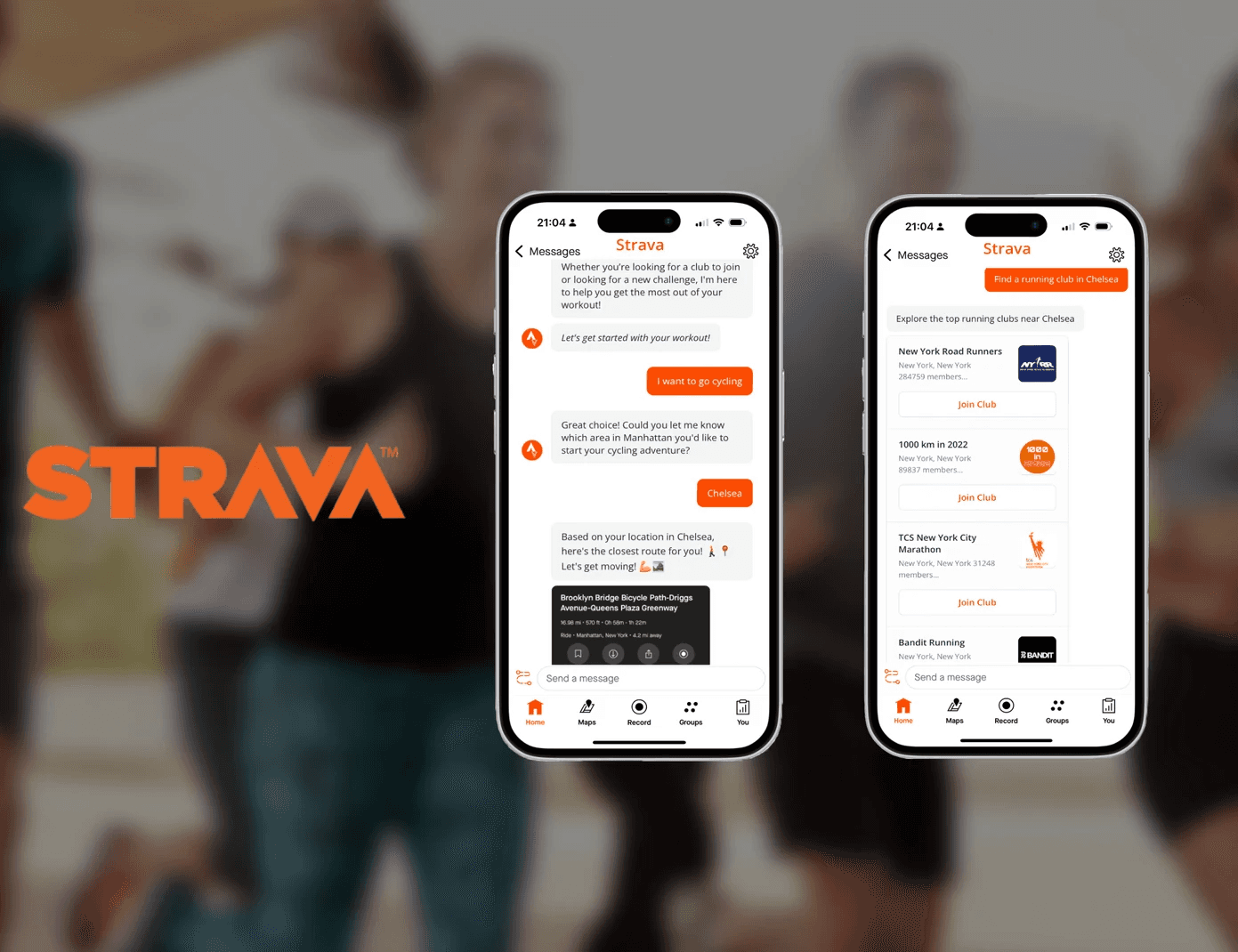
In my Conversational UX class, my team built Stride, a chat-based assistant that creates space for athletes to naturally find clubs, discover routes, and share activities through conversation instead of menus.
Takeaways
Learning as I Built
Building my first conversational agent meant learning new terminology, processes, and tools in real time — designing and iterating simultaneously.



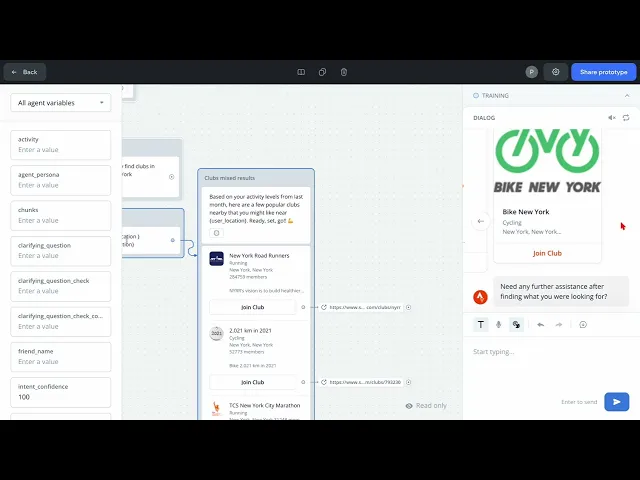
This video demonstrates how we translated our Strava conversational flows into a working prototype using VoiceFlow’s visual canvas. Instead of building a static flowchart, we created an interactive experience that simulates how Stride behaves in real time — including onboarding, intent capture, disambiguation, and error recovery.
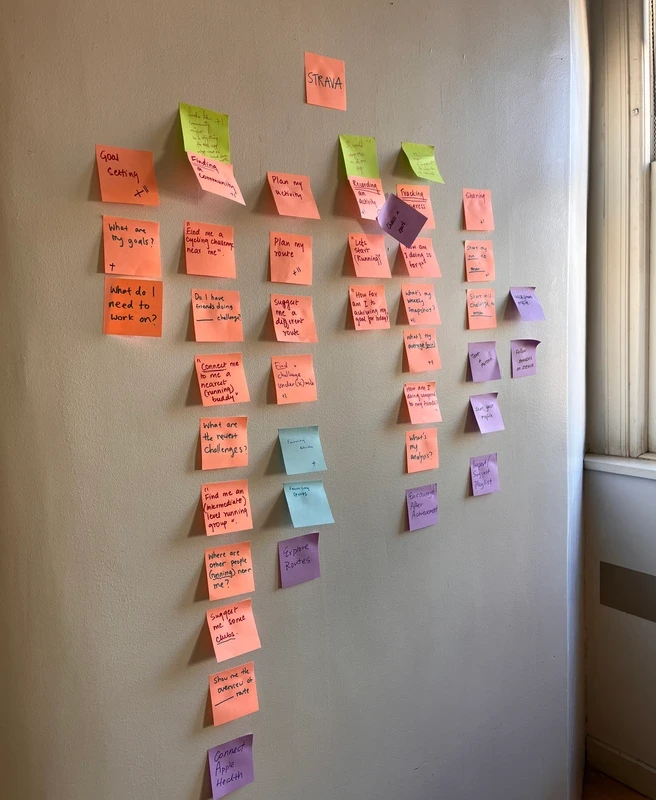
We began by creating a diagram of the most common user intents, a person might use Strava for.
Interaction Modality
We decided to focus on chat and visual modality because of Strava’s app capabilities.
Chat Modality
● Non-intrusive and discreet for users in fitness environments or public spaces where they may not be able to verbally communicate.
● Asynchronous interaction, allowing users to engage when it’s convenient.
● A lasting conversation history for reviewing past interactions or instructions.
Visual Modality
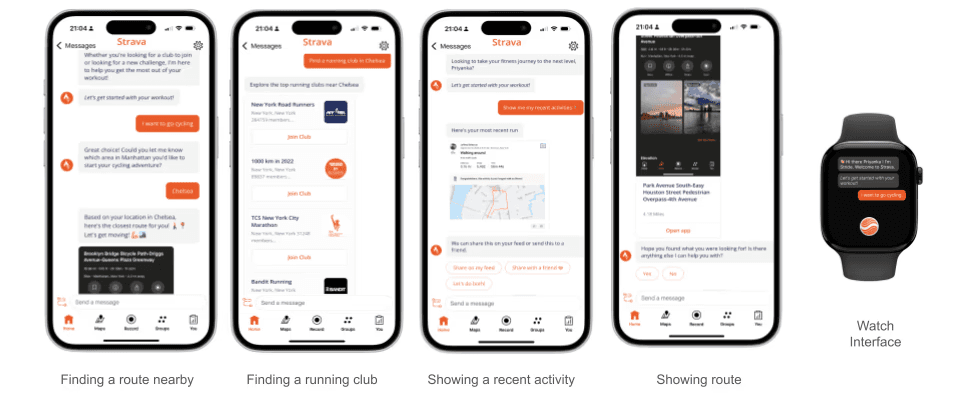
We were thinking visual modality can provide visual information to the chat-based interaction in the Strava CUX project. By incorporating visual elements, the CUX can offer a more comprehensive and engaging experience, especially for tasks that benefit from visual representations ie in decision making between routes and challenges.
Writing Utterances
Too Specific
When translating user intents into utterances, we initially assumed users would make structured, feature-aligned requests such as “Find a running route” or “Find a cycling club.” Early drafts closely mirrored Strava’s navigation language.
However, fitness behavior is rarely that precise. Users are more likely to say “I want to go cycling” or “Where can I run?” than reference a product label. Expanding beyond command-style phrasing helped us design for natural expression instead of idealized inputs.
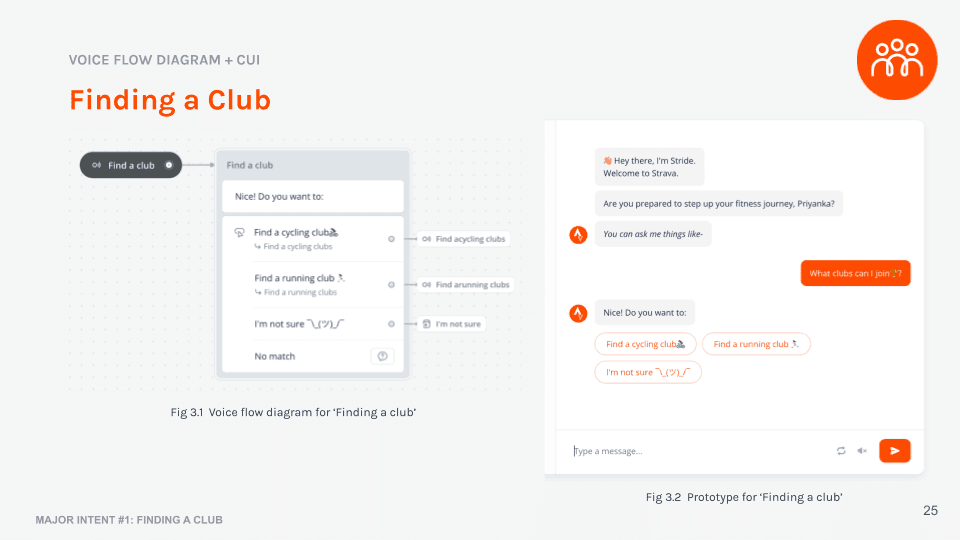
Testing
During our first round of user testing, we learned that people wanted to converse with the agent to help make decisions. We rewrote our user utterances to be more open to vague phrases that the lead the conversation to suggestions. Then, we continually tested these utterances to build our phrase bank
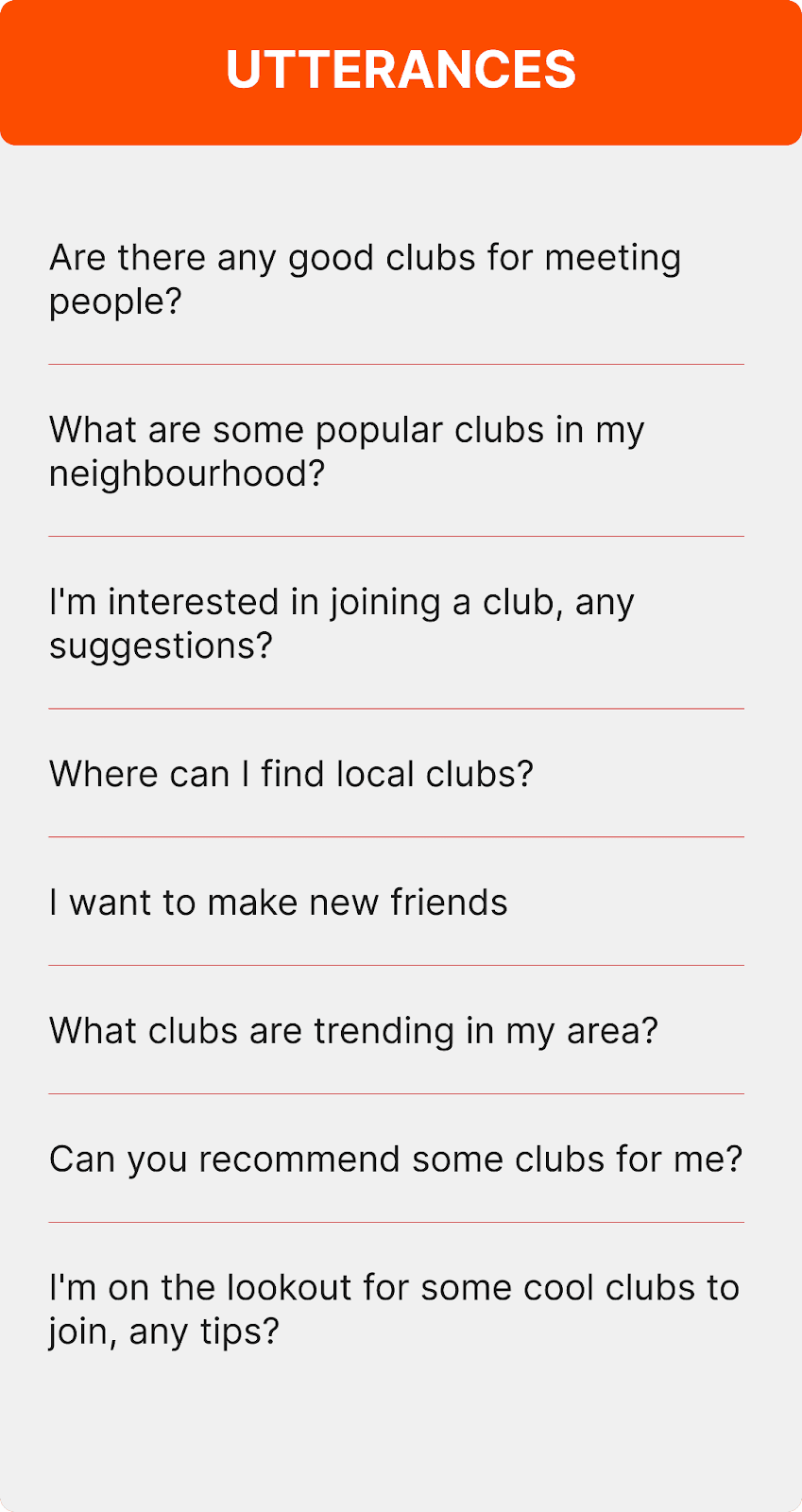
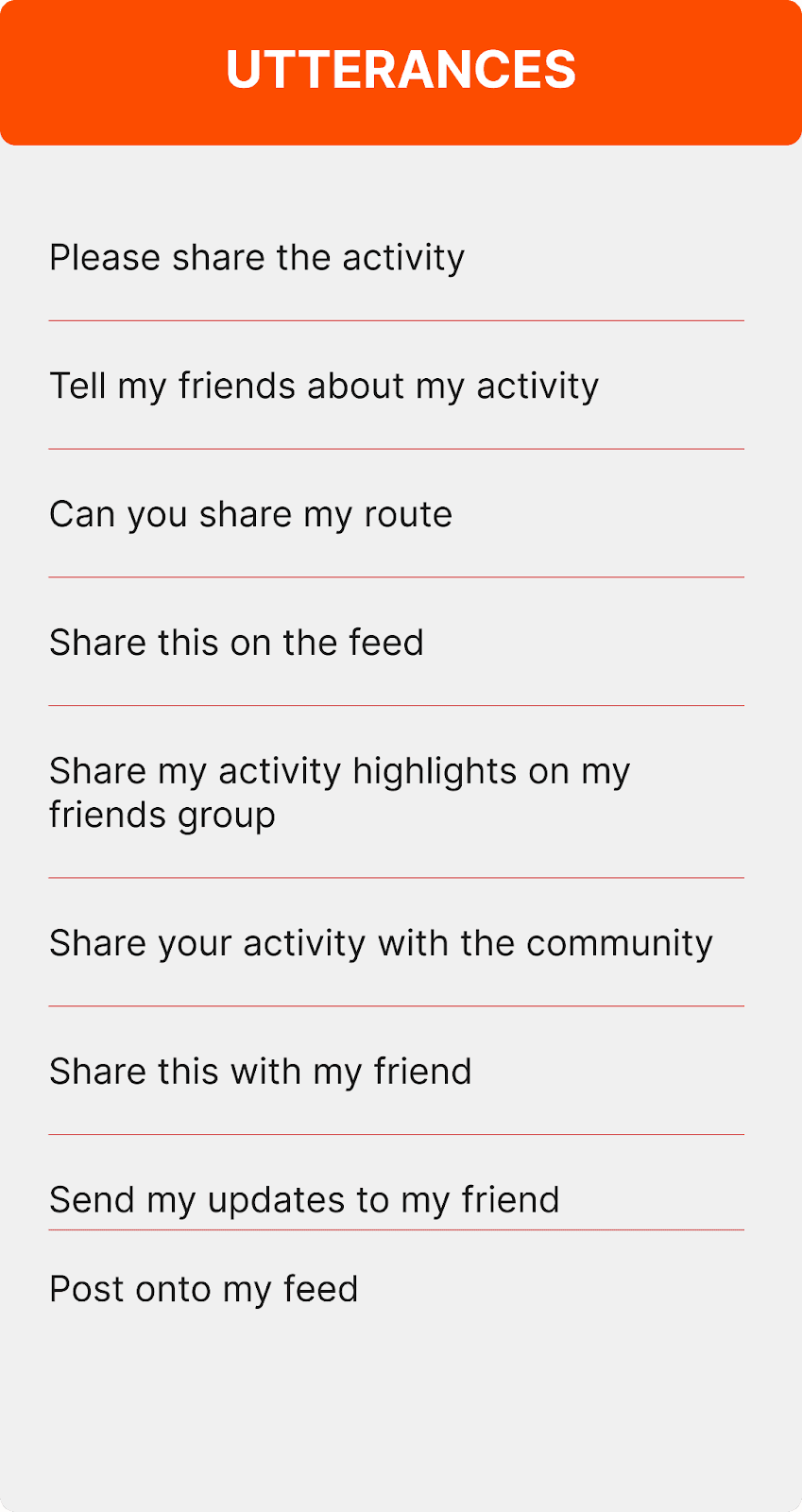
Utterance Phrase Bank Finding Clubs / Sharing activity
The chat assistant needed to feel native to Strava — not like a generic bot layered on top of a fitness app. Strava is performance-driven, community-centered, and motivational. From analyzing Strava’s social features and tone, we crafted Stride’s personality to feel supportive, energetic, and coach-like rather than transactional.
We incorporated light motivational language, casual phrasing, and selective emoji use to mirror the encouragement athletes associate with sharing runs, joining clubs, and tracking progress. At the same time, we ensured the assistant remained efficient and task-focused — helping users find routes, discover clubs, and share activities without unnecessary friction
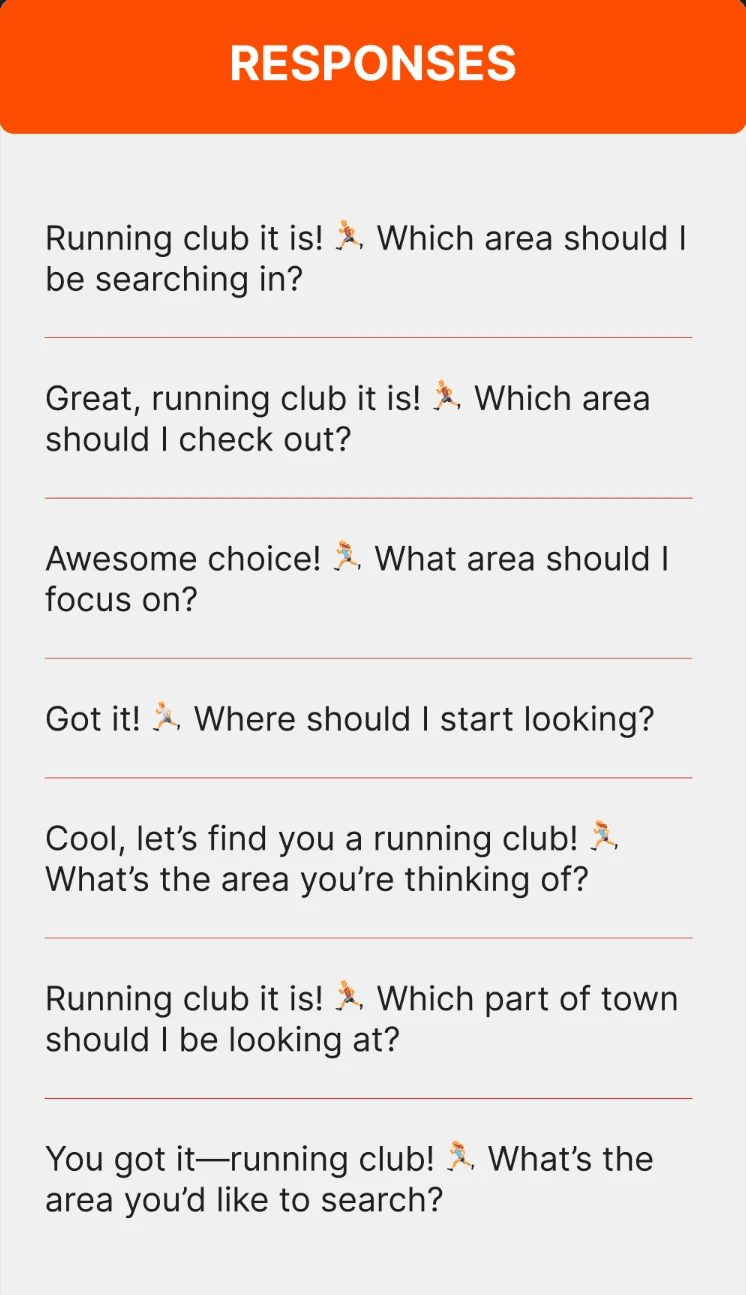
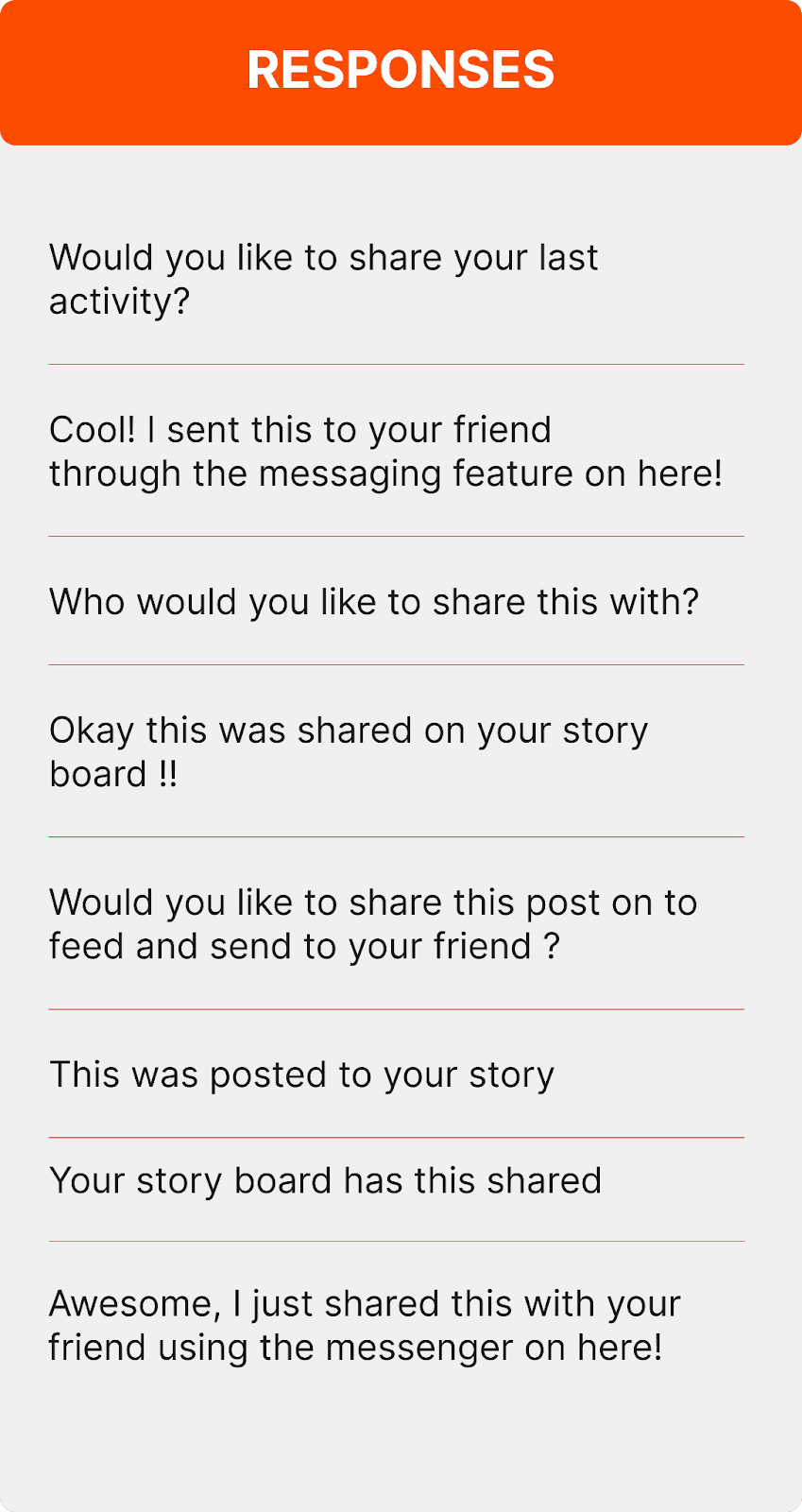
Response from chatbot for Finding Clubs / Sharing activity
Designing Stride pushed us beyond our technical comfort zone. While we were new to Voiceflow and conversational logic, we didn’t let tool limitations dictate the ambition of the experience. We designed full conversational loops — onboarding for first-time users, disambiguation between intents, location capture, error handling, and structured closings
The takeaway: technical friction is part of conversational design. The goal isn’t to design smaller — it’s to iterate until the system supports the experience you envisioned.
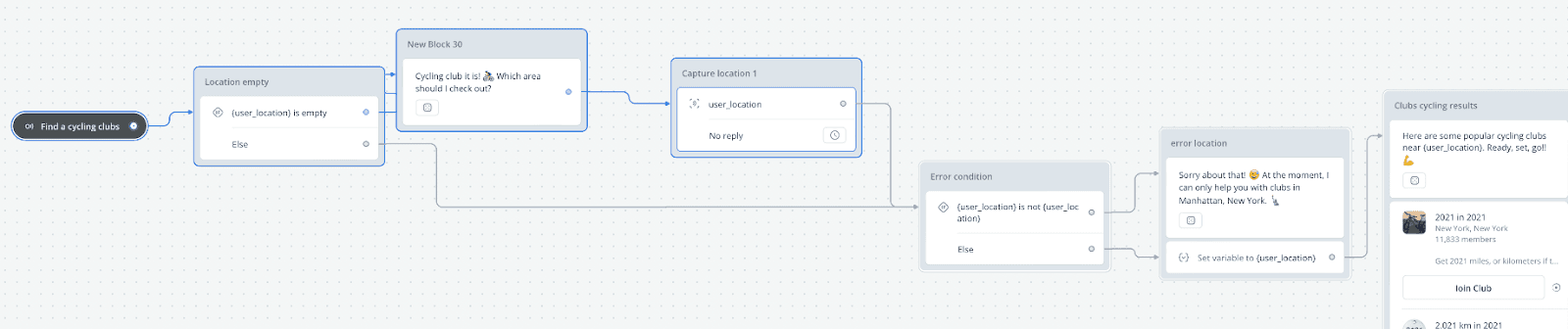
Key Features & User Experience
Proactive Engagement: Stride greets users by name and offers immediate, actionable choices like jogging, cycling, or club discovery [00:03].
Natural Language Route Search: Users can request specific routes (e.g., "cycling route in Manhattan") and receive rich media responses [00:15].
Frictionless Social Sharing: The agent allows users to share recent activities with friends in just a few taps, bridging the gap between data tracking and social motivation [02:15].
Conversation Is Not Navigation
Additional capabilities like goal setting, personalized training suggestions, event discovery, or route creation were intentionally excluded from this version. Future versions could incorporate these without overwhelming first-time users by progressively unlocking advanced features.
If we had more time, I would redesign the experience around user motivations rather than feature categories. Instead of “Find a route” or “Find a club,” the conversation could begin with broader prompts like “What are you training for?” or “How are you feeling today?” — allowing the assistant to infer the appropriate path.
This project reinforced an important principle: conversational systems should be shaped by how people think and speak, not by how products are organized internally.